A workspace for small teams
One
Plan
Record
Design
of the
Build
Work.
Collab on everything
Zinthi is one workspace for small teams. A task born in a chat, a board or an email stays one task wherever you open it, with the conversation still attached.
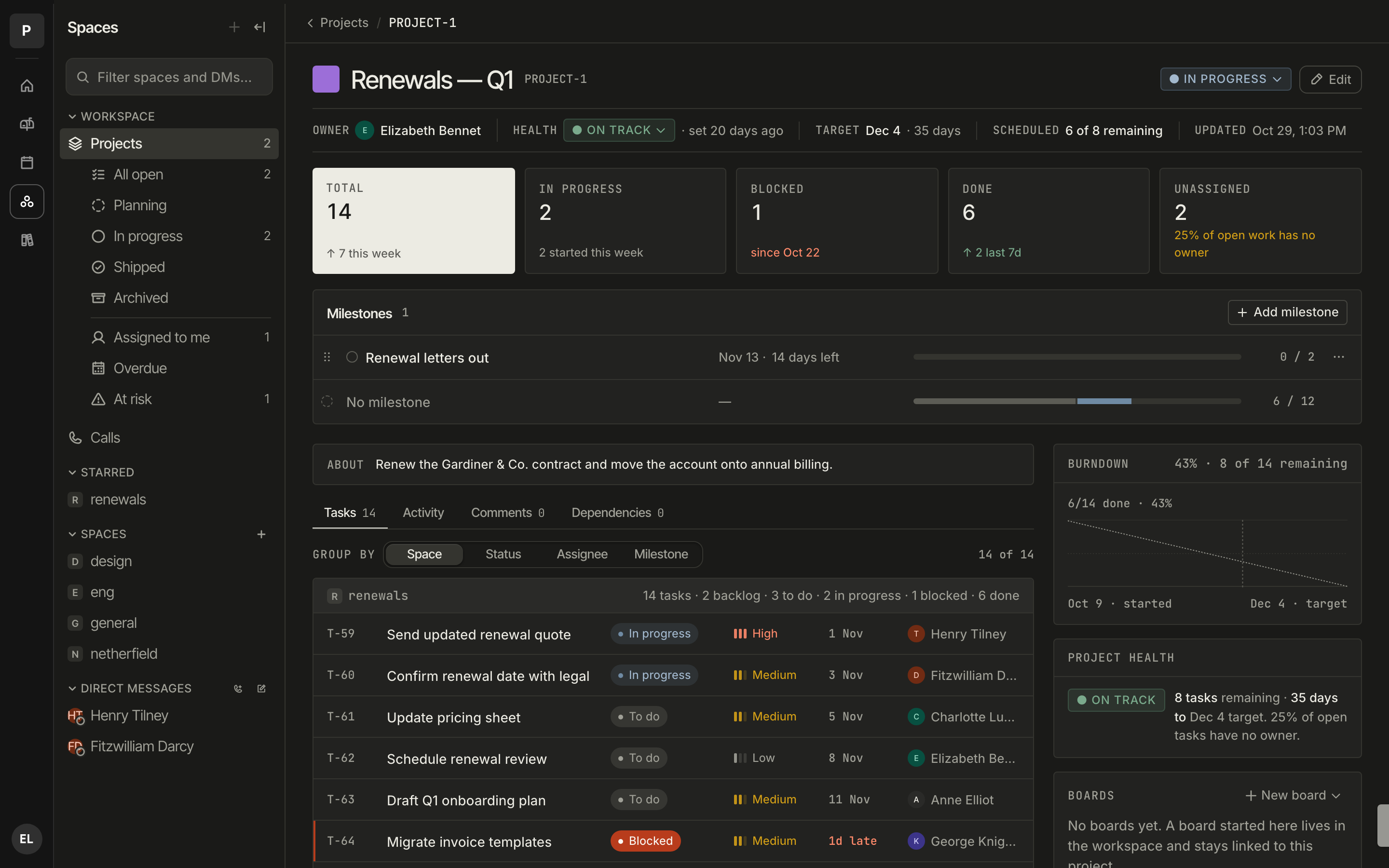
Build · A project in Zinthi
How it's arranged
Four verbs.
One workspace.
Zinthi is arranged around what a team does to ship something. Each surface is small on purpose. The work underneath them exists once.
Plan
Mail · Projects
Start where the work starts.
A client email becomes a project with the thread attached, so the plan and the conversation that caused it stay in one place. Your team talks it over in comments the sender never sees.
Design
Review
End the review with an approval.
Share frames, collect feedback, and sign off in one place. Zinthi Review is a separate tool, so a design team can use it without the rest of Zinthi.
Build
Tasks
Ship the thing.
Tick a task off in the channel and it's done on the board and in the doc, because it's the same task in all three. Status is wherever your team already is.
Collab
On everything
Talk where the work is.
Every part of Zinthi has the conversation built in. Start a call from where you're already talking. Turn a note on the board into real work. Miss a day and get a summary where every line links back to the message it came from.
Build
One task.
Every surface.
A task in Zinthi exists once. Open it from the channel where it came up, the board you're planning on, or the doc that records it, and you're looking at the same task. Rename it, reassign it, tick it off, and everyone else sees that too.
One task,
three windows.
Three windows, one task. The channel, the board and the doc are views of it, so nothing has to be kept in sync.
Your work stays yours. Export your workspace whenever you want. Boards export to FigJam today.
Quiet by design. Grayscale chrome, so the only colour on screen is what your team puts there.
Coming to Plan and Design
Two things we're building now.
Zinthi Mail
Plan In developmentTalk about an email without forwarding it.
- Your inbox, in your workspace. Connect Gmail or Outlook and your threads show up in Zinthi, next to the projects they're about.
- Reply as you. Send from your own address. Labels and read state stay in sync with your mailbox.
- Private team comments. Discuss a thread with your team right beside it. Comments are never included in anything you send.
- Your calendar, next to the plan. Read-only import, so Thursday's review sits beside Thursday's tasks.
Zinthi's use of information received from Google APIs adheres to the Google API Services User Data Policy, including the Limited Use requirements. Message content is never used for advertising or to train models. See our privacy policy and Google API disclosure.
Zinthi Review
Design EarlyGet to approved.
Share frames, collect feedback, get the sign-off. Built for designers and the people who review their work, and usable with or without the rest of Zinthi.
3 frames · 2 reviewers · 0 open comments
Questions we get
The honest answers.
- Do you read my email?
- Zinthi shows your threads to you and to nobody else. Team comments sit beside a thread and never leave Zinthi. Message content is never used for advertising or to train models, and our use of Google data follows Google's Limited Use rules. The privacy policy spells it out.
- Can I get my data out?
- Yes, at any time. Boards export to FigJam today, and tasks, docs and messages export in open formats. Nothing is held hostage.
- When can my team use it?
- We're bringing teams on a few at a time so every one of them gets a person, not a ticket. Join the waitlist and we'll write to you when it's your turn.
- We're already on Slack. Why move?
- Don't, yet. Start with a board on your own; stickies become tasks and the board exports if you leave. Bring the team into Chat when the one-record idea has earned it.
Get in
Bring your team somewhere quieter.
We're bringing teams on a few at a time. Leave your email and we'll write when it's your turn, or write to hello@zinthi.com first and a person will reply.